Good bookkeeping is the difference between a stress-free tax season and a frantic weekend digging through bank statements. The right accounting software for freelancers tracks income and expenses automatically, sends invoices, and makes quarterly taxes simple.
We compared the most popular options on ease of use, invoicing, bank connections, tax features and who each one suits best. Pricing changes often, so check each provider’s site for current plans and promotions.
Our picks at a glance
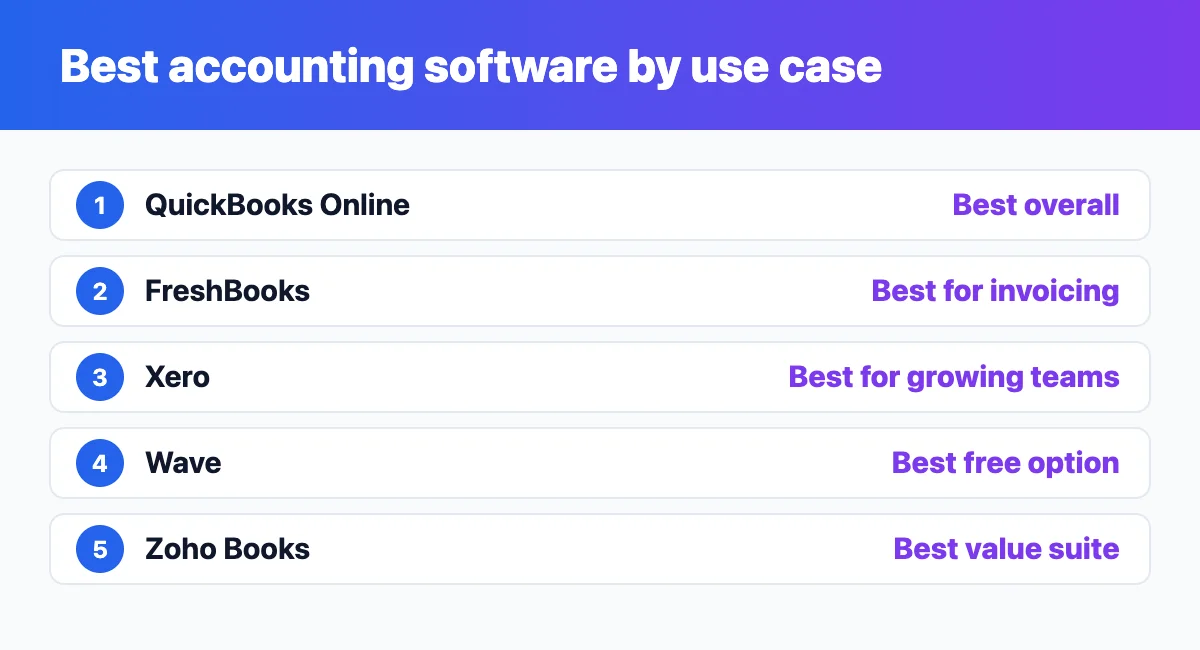
- Best overall: QuickBooks Online
- Best for invoicing & time tracking: FreshBooks
- Best for growing businesses: Xero
- Best free option: Wave
- Best value: Zoho Books
What freelancers actually need from accounting software
- Automatic bank and card feeds with categorization rules
- Professional invoices with online card/ACH payments
- Receipt capture from your phone
- Mileage and expense tracking
- Profit & loss reports to estimate quarterly taxes
- Easy access for your accountant
1. QuickBooks Online — best overall
QuickBooks is the most widely used small-business accounting platform, and most accountants know it inside out. It offers strong bank feeds, invoicing, reports, and tiers that scale from solo freelancers to businesses with payroll and inventory.
Pros: accountant-friendly, deep features, huge app ecosystem. Cons: pricier than alternatives; higher tiers can be more than a solo freelancer needs.
2. FreshBooks — best for invoicing and time tracking
FreshBooks was built for service-based freelancers. Invoicing, time tracking, project budgets and client proposals are polished and simple.
Pros: very easy to use, excellent invoices, built-in time tracking. Cons: plans may limit the number of billable clients; less suited to complex accounting.
3. Xero — best for growing businesses
Xero offers clean double-entry accounting, strong bank reconciliation and generous user access, making it popular with small teams and internationally.
Pros: great reconciliation, multi-currency on higher plans, many integrations. Cons: entry-level plans can cap invoices or bills.
4. Wave — best free option
Wave offers free core accounting and invoicing, which makes it attractive for new freelancers on a tight budget. Payments processing, payroll and some features cost extra.
Pros: free core tools, simple interface. Cons: fewer integrations and advanced features; paid add-ons for automation.
5. Zoho Books — best value
Zoho Books packs a lot of features into affordable plans and integrates tightly with Zoho’s CRM and other business apps.
Pros: strong automation, client portal, good value. Cons: best if you also use other Zoho apps.
Comparison table
| Software | Best for | Free plan | Ease of use |
|---|---|---|---|
| QuickBooks Online | Most small businesses | No (trial) | Medium |
| FreshBooks | Service freelancers | No (trial) | Easy |
| Xero | Growing teams | No (trial) | Medium |
| Wave | Budget freelancers | Yes | Easy |
| Zoho Books | Value / Zoho users | Varies by region | Medium |
How to choose
- Just starting out? Begin with Wave or the cheapest plan of FreshBooks.
- Billing hourly clients? FreshBooks’ time tracking saves hours.
- Working with an accountant? Ask what they prefer — often QuickBooks or Xero.
- Planning to hire? Choose software with payroll add-ons and multi-user access.
Whatever you pick, open a separate business bank account. It makes categorizing transactions, claiming deductions and calculating retirement contributions far easier.
Frequently asked questions
Do freelancers need accounting software?
Not legally, but it saves time, reduces errors and helps you claim every deduction. A spreadsheet works at first; software becomes valuable once you have regular clients.
What is the best free accounting software?
Wave is the best-known free option for core bookkeeping and invoicing.
Is QuickBooks or FreshBooks better for freelancers?
FreshBooks is easier for invoicing and time tracking; QuickBooks is more powerful for full accounting and is preferred by many accountants.